


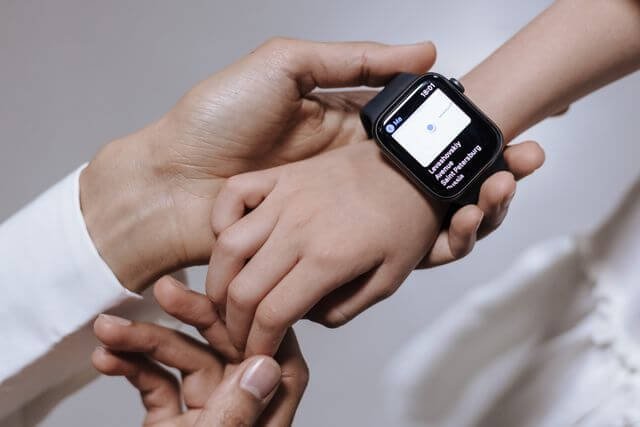
Giving a child their first smartwatch can bring a little more freedom to everyday family life. They can contact trusted people, and parents can have an easier way to check in when needed. But introducing a connected device also raises an important question: how much supervision is helpful without making a child feel constantly watched?
The answer starts with an honest conversation. Before handing over a watch, explain what it can do, which safety settings you plan to use, and why those settings matter. Good parental controls should help families agree on sensible boundaries while allowing children to develop independence.
Research from Australia’s eSafety Commissioner highlights the importance of this balance. Its 2025 research on parenting in the digital world found that 84% of parents and carers had open conversations with their children about online safety, while 68% monitored their children’s online activities.
These findings point to a practical approach: supervision and communication do not need to compete. Families can use safety features while helping children understand how those features work.
1. Explain the Watch Before Setting the Rules
A child’s first experience with a smartwatch can influence how they feel about wearing it. If the device arrives with a long list of restrictions, they may see it as a way for parents to control them. If they understand its purpose, they are more likely to view it as a useful part of their daily routine.
You do not need a formal family meeting. Set aside a few minutes during setup and walk through the main features together.
Clear Up Misunderstandings About Location Sharing
Children may assume that location sharing means their parents can see everything they do. In reality, the information available depends on the particular watch, its companion app, and the settings enabled.
Explain exactly what applies to your device. Parents may be able to check a child’s location, manage approved contacts, configure designated places, or receive emergency alerts. Other activities may not be visible.
Avoid making promises until you have checked the manufacturer’s documentation. Showing your child the actual settings is more useful than offering vague reassurance.
Explain the Reason Behind Each Rule
Instead of saying, “You have to wear this so I can track you,” explain how the watch supports everyday independence.
For example, you might say, “When you start walking home from school, you can contact us if you need help, and we can check that you’ve arrived.”
This explains the benefit without making safety sound like punishment. It also gives children an opportunity to ask questions before the device becomes part of their routine.
2. Use Language That Encourages Independence
The way parents describe safety features can shape how children respond to them. A conversation focused entirely on restrictions may create resistance, even when the rules are reasonable.
Try explaining the watch through three simple ideas: communication, safety, and responsibility.
- Communication: Your child can contact approved people when necessary.
- Safety: Location and emergency features can help the family respond when something goes wrong.
- Responsibility: Both parent and child understand the agreed rules for using the device.
A connected children’s smartwatch with a parent-managed app may support this arrangement through approved contact lists and configurable safety settings. The available features will vary by model.
Replace Threats With Clear Explanations
Phrases such as “I can watch everything you do” can create unnecessary anxiety, particularly when they do not accurately describe the device.
Instead, explain what information is available and when you expect to use it.
For example, “We’ll use location sharing when it helps with your journey home” communicates a specific purpose. “We’ll review these settings together as you get older” shows that the rules can change with maturity.
These statements should reflect genuine family agreements, not promises made simply to persuade a child to wear the watch.
Transparency is especially important when discussing location data. In its 2026 research on non-consensual tracking and monitoring, Australia’s eSafety Commissioner reported that 25% of Australian children aged 10–17 had experienced non-consensual tracking, monitoring, or harassment.
That finding makes it important to distinguish protective family settings from unwanted surveillance. Parents should explain the purpose of location sharing and handle the information responsibly.
3. Explore the Parental Controls Together
Children are more likely to understand a device when they can see how its settings work. Rather than configuring everything privately, walk through the relevant features during the initial setup.
Review Contacts and Emergency Features
Open the companion app and explain which people can contact the watch. If the device uses a Trusted Contacts feature, show your child who has been approved and explain why the list is limited.
Discuss emergency functions as well. If the watch has an SOS feature, explain what happens when it is activated, who receives an alert, and when it should be used.
Keep the explanation practical. Children should know how to get help without becoming frightened by worst-case scenarios.
Let Your Child Ask Questions
Give your child time to explore the watch and ask what they want to know.
They might wonder whether parents can see previous locations, whether friends can call them, or whether an emergency alert goes to one person or several.
Check the device’s actual capabilities before answering. If you are unsure, consult the manufacturer’s instructions together.
This approach treats the child as a participant in the decision rather than someone who must accept every setting without explanation.
4. Agree on Boundaries That Apply to Everyone
Parental controls are easier to understand when children know how their information will be used. Parents do not have to give up necessary supervision, but they should avoid making the rules unpredictable.
Start by discussing the situations in which checking a child’s location is useful. For example, the family might agree to use it for school journeys, changes to the usual routine, or situations where the child needs assistance.
A family agreement can cover:
- When location information may be checked
- Which contacts can communicate with the watch
- Who receives emergency alerts
- When School Mode should be enabled
- Which settings parents can change independently
- When the family will review the arrangement
The right boundaries depend on the child’s age, maturity, routine, and safety needs. The important part is making those boundaries understandable.
Avoid Secret Changes That Undermine Trust
Changing settings without explanation or using location information in ways the child does not expect can weaken trust.
There may be situations where parents need to act quickly to protect a child. However, routine use of a family safety device should not depend on unnecessary secrecy.
Explain changes when practical and give your child a chance to understand the reason. This helps the watch remain a tool for communication rather than a source of conflict.
5. Adjust Settings as Your Child Grows
A setup that works for a younger child may become unnecessarily restrictive as they gain experience and responsibility. Parental controls should be reviewed periodically instead of remaining unchanged for years.
Review the Settings Each School Term
A short conversation every school term can help keep the watch relevant to your child’s routine.
Check whether the approved contacts are still appropriate, whether location settings remain useful, and whether School Mode matches the current timetable. Ask whether your child has concerns or needs help understanding a feature.
These reviews can also identify practical problems. A changed school schedule, new walking route, or different after-school activity may require adjustments.
Increase Independence Gradually
Greater independence does not have to mean removing every safeguard at once.
A younger child might need a small approved contact list and clearly defined location-sharing arrangements. An older child who manages their routine reliably may be ready for more involvement in decisions about those settings.
Discuss what can change, why the change makes sense, and which safeguards should remain.
The objective is to help children develop responsible habits while keeping appropriate support available.
6. Choose Features That Match Your Family’s Needs
The number of parental controls a smartwatch offers does not automatically make it the best option. A useful device is one that supports your family’s routine without introducing unnecessary complexity.
Before choosing a watch, consider the features you will genuinely use. These might include approved calling contacts, location sharing, emergency alerts, School Mode, and the ability to manage settings through a companion app.
Check how each feature works rather than relying on its name alone. For example, confirm what location information is available, how contact permissions are managed, and what happens when an emergency alert is triggered.
Battery life, mobile connectivity, comfort, durability, and compatibility with your family’s needs also matter. A device with extensive features is less useful if it does not work reliably during the situations when your child needs it.
Review privacy information as well. Understand what data the manufacturer collects, how it is stored, and which permissions are required.
Make Safety a Shared Responsibility
A children’s smartwatch can make communication easier and provide useful safety features, but technology cannot replace trust or sound judgement.
Start by explaining what the device can do. Show your child the relevant parental controls, discuss how location information will be used, and agree on boundaries that make sense for your family.
Review those decisions as your child becomes more independent. Be willing to explain changes and listen when your child raises a reasonable concern.
The aim is not to give parents unlimited visibility into a child’s life. It is to provide an appropriate level of support while helping children learn responsibility.
When expectations are clear and conversations remain open, a smartwatch can become a practical tool for staying connected without making independence feel like constant supervision.
