


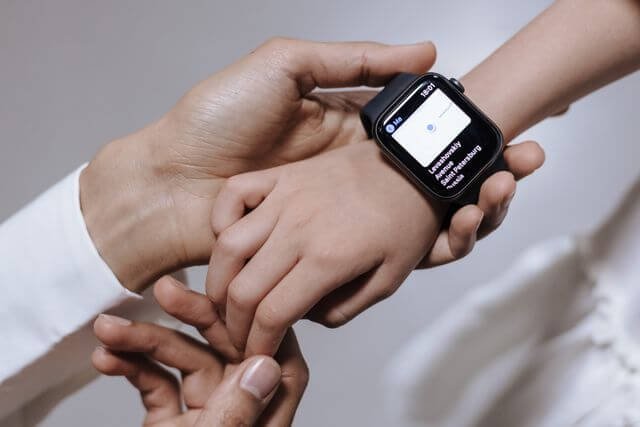
The first time you give your kid a connected watch, the technology is only half the conversation. The bigger question is what the watch means. If it feels like a way to stay connected and support growing independence, it can become part of family life. If it feels like another way to keep tabs on them, trust can disappear quickly.
That is why parental controls work best when they are explained as shared boundaries rather than secret settings. A kid’s smartwatch can give parents control over contacts, location awareness, School Mode and safety features while still giving kids room to become more independent.
Australian research reinforces why that balance matters. eSafety’s 2025 research found that 84% of parents and carers had open conversations with their kids about online safety, while 68% said they monitored their kid’s online activities.
Why the first conversation about parental controls sets the tone for a year
The first conversation can shape how your kid understands the watch. Explain what it does, what you can see, and why particular settings exist before they start using it. This does not need to be a formal family meeting. A few minutes while setting up the watch together can be enough.
What kids assume you can see
A kid may assume that if a watch shares location, you can see everything they do. That is not necessarily how a family safety smartwatch works.
Explain the actual settings. For example, parents may be able to view location information, manage Trusted Contacts, configure Places and Routes, and receive SOS alerts. Other functions may not be visible to the parent at all.
Being clear about the difference between what the watch can do and what you have chosen to use helps remove uncertainty.
Why leading with rules rarely works
Starting with “You must wear this” or “I can see where you are” can make the watch sound like a restriction. Instead, start with the reason behind it: “This means you can walk to school with a bit more freedom, and I can still know you’ve arrived.” The safety setting becomes part of the independence, rather than the opposite of it.
What language makes parental controls feel supportive rather than restrictive?
The words you choose matter. Kids are more likely to understand a smartwatch when the conversation focuses on connection, independence and agreed boundaries.
1. Reachable, findable, yours
Keep the explanation simple.
- Reachable: “You can call the people we’ve agreed on.”
- Findable: “I can check your location when we need to know where you are.”
- Yours: “You get to use the watch. We agree together how the safety settings work.”
A 4G kids smartwatch with a parent-managed companion app can support this approach by separating what the kid does on the watch from what the parent manages in the app.
2. Words to avoid and what they signal
Avoid language that makes the watch sound like a control tool.
Instead of:
- “I’m going to track you.”
- “I can watch everything you do.”
- “You can’t change anything.”
- “I need to keep an eye on you.”
Try:
- “We’ll use location awareness when it’s useful.”
- “Let’s decide which settings make sense.”
- “We’ll review the settings as you get older.”
- “The watch helps you reach us when you need us.”
This is more than a wording exercise. eSafety research published in 2026 found that 25% of Australian kids aged 10 to 17 had experienced non-consensual tracking, monitoring or harassment, with 8% reporting that someone had tracked their exact real-time location without permission.
That makes transparency around location-sharing settings particularly important.
How can parents show kids exactly what parental controls they can see on day one?
The simplest way to build trust is to make the settings visible.
1. Open the app together
Sit down with your kid and open the companion app.
Show them the features you have enabled. If the watch uses features such as Places, Routes, School Mode, SOS or Trusted Contacts, explain each one in everyday language.
For example, show them which contacts have been added and explain that they cannot simply add new people from the watch. Parent-managed contact lists can keep communication limited to people the family has chosen.
2. Let them scroll it themselves
Give your kid the phone and let them look through the relevant settings.
They may ask questions you would not think to answer yourself:
- “Can you see this?”
- “Can you see where I was yesterday?”
- “Who gets my SOS?”
- “Can I call my friend?”
Answer those questions honestly. The aim is not to convince them that the watch is harmless. It is to make sure they understand exactly how it works.
Why naming what you will not look at can make a family watch feel more respectful
Trust is easier to build when boundaries apply to parents too.
Being specific, then sticking to it
If you agree that location awareness is mainly for independent journeys, say so. If you decide that some settings will only be changed together, make that part of the agreement.
A simple family agreement might cover:
- When location information will be checked
- Who can receive SOS alerts
- Which people can contact the watch
- When School Mode applies
- Which settings parents can change without discussion
- When the agreement will be reviewed
The exact arrangement will differ between families. What matters is that everyone knows what has been agreed.
Why covert monitoring backfires
Secretly changing settings or checking information beyond what your kid understands can undermine the very trust the watch is supposed to support.
A family safety watch works better when the technology is part of an open conversation. Your kid knows what the watch does. You know what boundaries you’ve agreed to. Neither side has to guess.
How should parental controls change as kids become more independent?
The settings that make sense for a younger kid may not make sense forever.
A short check-in each term
Set aside a few minutes every school term to ask:
- Is the current contact list still right?
- Are the location settings still useful?
- Does School Mode match the timetable?
- Has the daily routine changed?
- Is there anything your kid wants to understand better?
This keeps the conversation practical rather than making every new freedom feel like a negotiation.
Loosening settings as they earn it
Independence does not have to arrive all at once. A kid might start with a small number of Trusted Contacts, location awareness for regular journeys, and clearly defined SOS settings. As they become more confident with the watch and their routines, the family can revisit what still needs to be managed.
That approach turns parental controls into something that can grow with your kid, rather than a permanent set of restrictions. The best kids smartwatch is not necessarily the one that gives parents the most control. It is one that lets families choose the right level of support for the stage they are in.
Start with an honest conversation. Show your kid what you can see. Explain what you won’t look at. Then review the agreement as they grow.
More independence works better when the boundaries are clear, shared and easy to understand.
